Projects
Overview
A project groups related tasks together under a shared label. Projects
help you organize your work and see all related tasks at a glance.
How It Works
Assigning a project to a task
A task can belong to one project at a time. You assign a project by
typing a project name when creating or editing a task.
If you assign a new project name that does not already exist, Taskwarrior
creates it automatically.
Project naming
WingTask follows the Taskwarrior convention for project names. Project
names use capitalized segments separated by dots.
Examples:
Home
Work
Home.Gardening
Work.ProjectX
This convention keeps project names consistent and readable.
Nested projects
Projects can be nested to any depth using dot notation.
Example:
Home
Home.Gardening
Home.Gardening.Plants
A task assigned to Home.Gardening.Plants belongs to that specific
subproject. It also counts as part of Home.Gardening and Home for
display and filtering purposes.
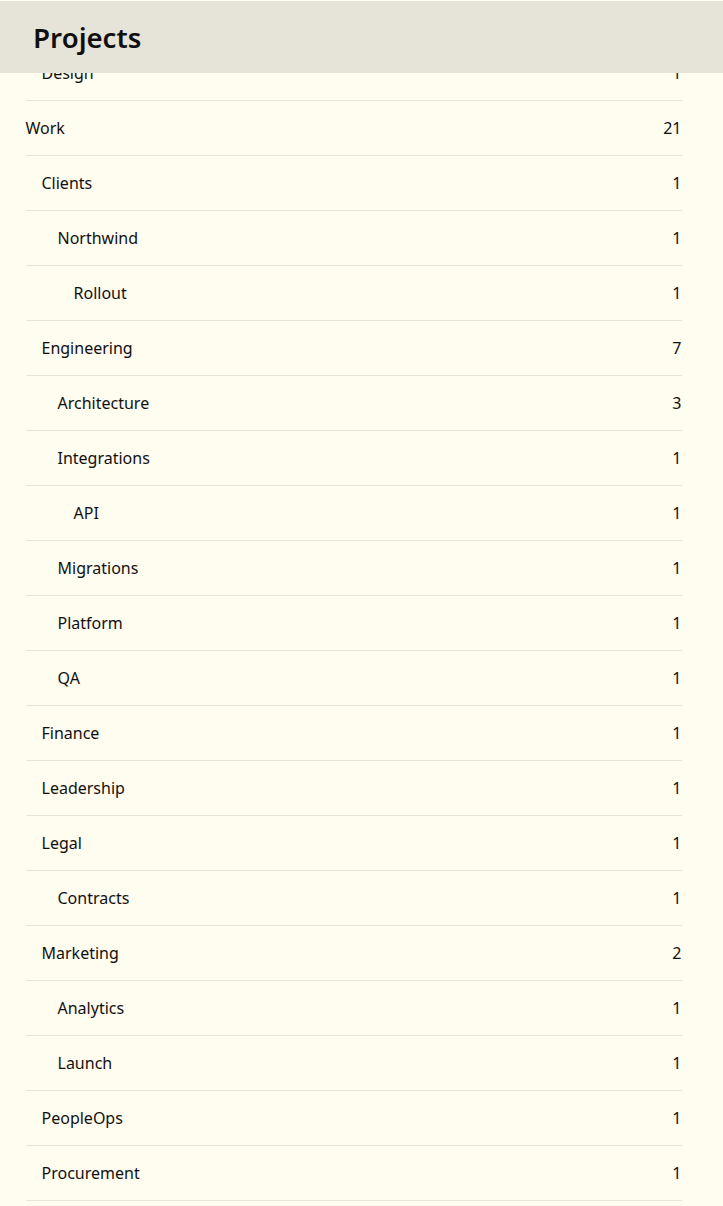
How projects appear in the task view
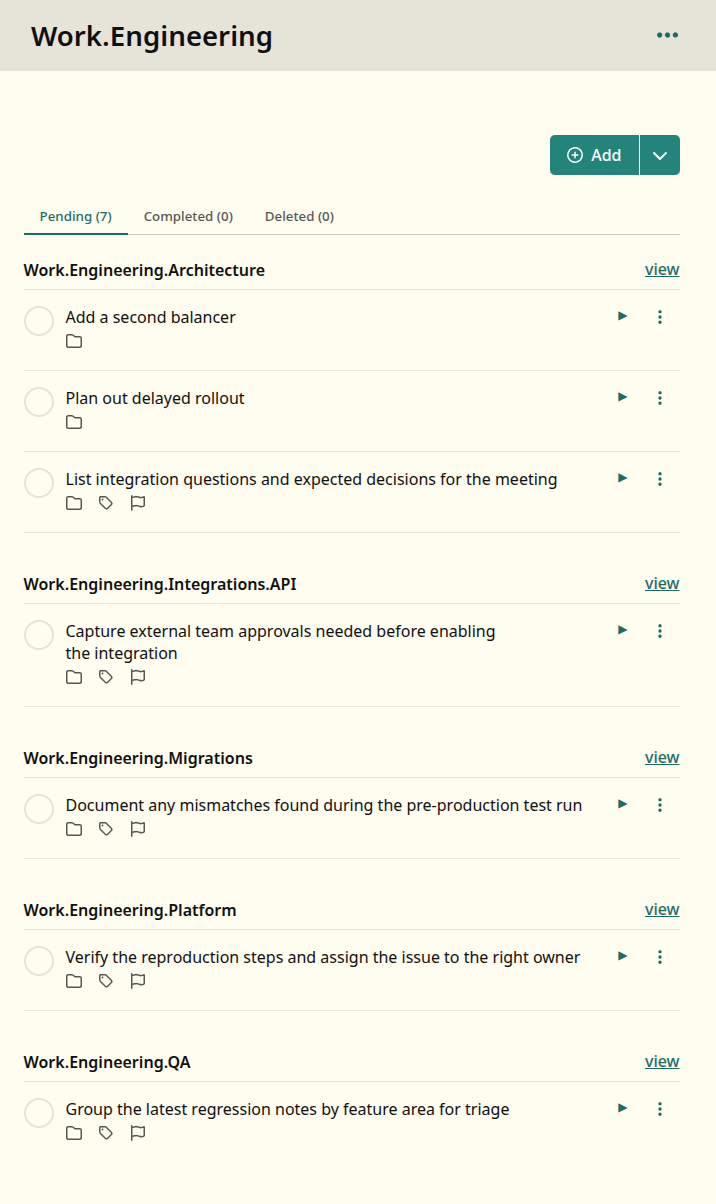
When you view a project, WingTask displays tasks from that project and
all of its subprojects together. This makes it easy to see everything
under a parent project without switching views.
Example:
If you view the Home project, you will see tasks from:
HomeHome.GardeningHome.Gardening.Plants
Examples
Example: Simple project
Task:
Buy new garden hose
Project:
Home.Gardening
This task appears when viewing Home.Gardening or Home.
Example: Nested project hierarchy
Work
Work.ProjectX
Work.ProjectX.Research
Work.ProjectX.Deliverables
Tasks can be assigned to any level of this hierarchy. Viewing Work
shows tasks from all four projects.
Screenshots
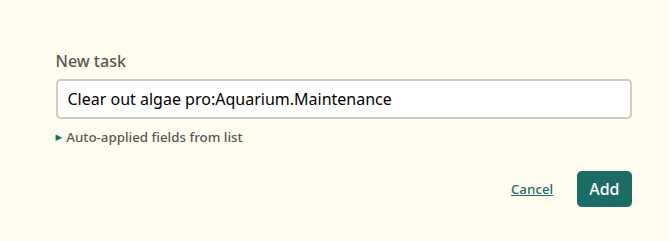
A project can be added to a task using taskwarrior syntax
Notes
- A task can only belong to one project at a time.
- Project names are case-sensitive.
homeandHomeare different
projects. - Removing a project name from all tasks does not explicitly delete
the project — it simply no longer appears once no tasks reference it.
Related Topics
- Tags
- Filters
- Contexts