Connecting WingTask Sync with Local Taskwarrior CLI
Overview
WingTask provides a TaskChampion sync server. If you use Taskwarrior on
your computer or other devices, you can connect it to WingTask so your
tasks stay in sync.
This page explains how to configure that connection.
Finding Your Credentials
Your sync credentials are in WingTask at Settings > Taskwarrior Sync.
You’ll find three values there:
- Sync URL — the address of the WingTask sync server
- Client ID — a unique identifier for your task dataset
- Encryption Secret — used to encrypt your tasks before they leave
your device
Visit Settings then Taskwarrior Sync to find your sync credentials
Keep these credentials private.
Your Client ID and Encryption Secret are effectively passwords. Anyone
who has them can read and modify your tasks. Do not paste them into a
public place — including a GitHub repository, a public gist, or a
shared config file.
Configuring Taskwarrior
Run these three commands, replacing the placeholders with the values
from Settings > Taskwarrior Sync:
task config sync.server.url        'https://your-sync-server.example.com/'
task config sync.server.client_id  'xxxxxxxx-xxxx-xxxx-xxxx-xxxxxxxxxxxx'
task config sync.encryption_secret 'your-encryption-secret'
Then run your first sync:
task sync
What Each Setting Does
| Key | Purpose |
|---|---|
sync.server.url |
Base URL of the WingTask sync server |
sync.server.client_id |
Identifies your task dataset on the server — must be a valid UUID |
sync.encryption_secret |
Encrypts your task data before it leaves your device — the server never sees your tasks in plaintext |
The server creates a new account for any previously-unseen client_id
on the first sync. No additional setup is required on the server side.
Verifying the Configuration
task show sync
This prints all sync.* keys currently set, so you can confirm the
values look correct before syncing.
Using Multiple Devices
Every device sharing the same task list must use the same client_id
and sync.encryption_secret. Use the credentials from Settings >
Taskwarrior Sync on each device.
Alternative: Edit .taskrc Directly
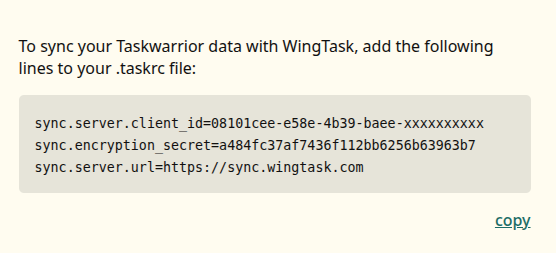
If you prefer to edit ~/.taskrc directly, add these three lines:
sync.server.url=https://your-sync-server.example.com/
sync.server.client_id=xxxxxxxx-xxxx-xxxx-xxxx-xxxxxxxxxxxx
sync.encryption_secret=your-encryption-secret
The same warning applies: do not commit this file to a public
repository.